
How to 3D print something bigger than your printer
Your print bed sets the size of each piece, not the size of the finished print. Cut the model into parts that fit, print them, and join them. Here's how to do each step so the parts line up and the seams hold.
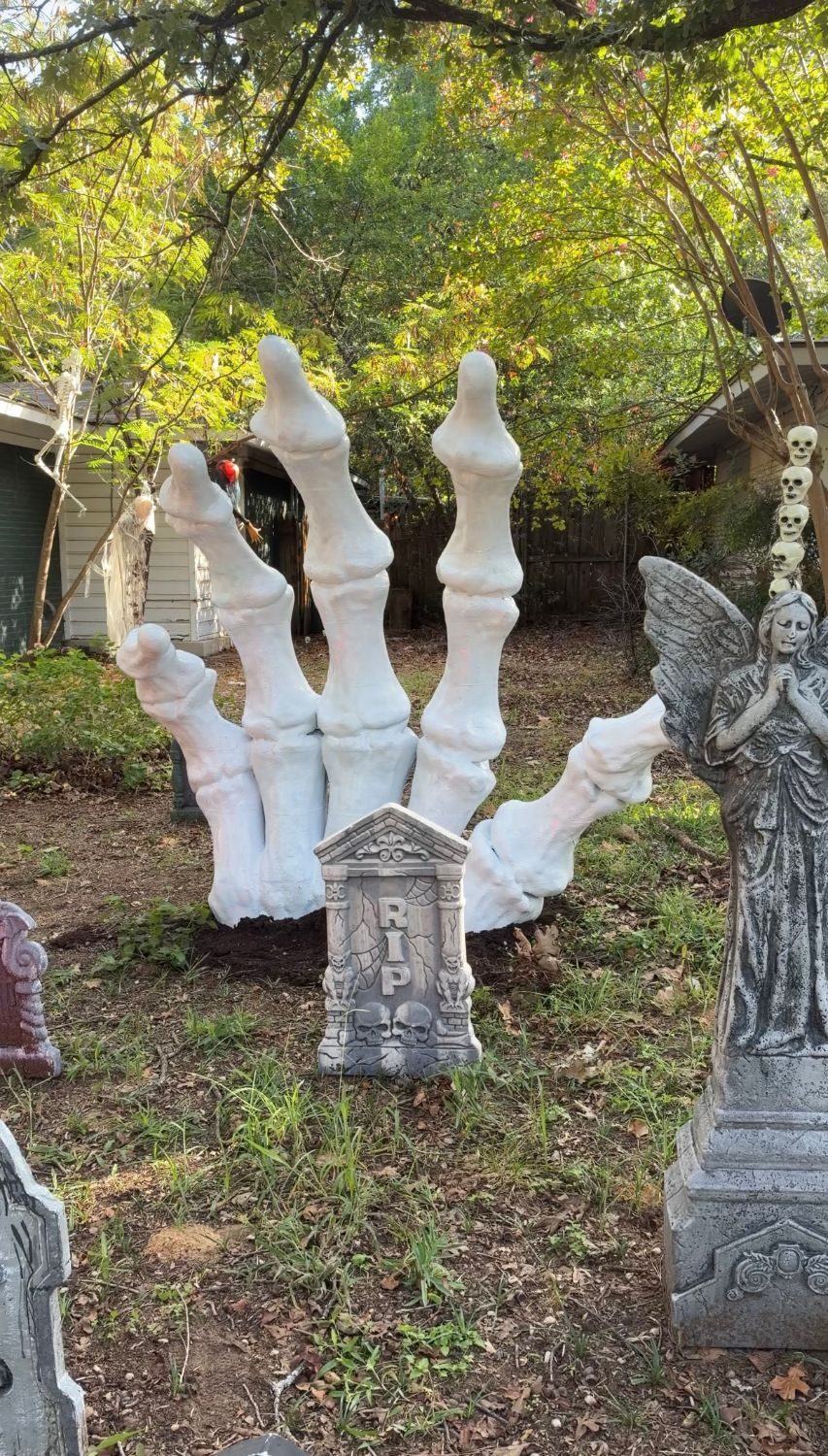
1. Decide the finished size
Pick one measurement you care about, usually the height, and scale the model to it. Everything else follows from that scale.
- Check which way is up. Many models are saved lying on their back, so the slicer's "height" is really the depth. Stand the model upright before you scale it, or you can end up twice as big as you meant.
- Check the other two sizes. A 5 ft character can be 4 ft wide once its arms are out. Make sure it fits where it's going.
- Estimate the material. Volume grows with the cube of the scale: twice as tall uses roughly eight times the filament. Hollowing (step 4) is what keeps big prints affordable.
2. Split the model into pieces
Each piece has to fit your bed with a little room to spare. Leave about 5 to 10 mm around the edges for the brim and for pegs that stick out of the cut faces.
By hand in your slicer
Bambu Studio, OrcaSlicer and PrusaSlicer all have a Cut tool. You place a cutting plane, choose which side to keep, and repeat. It's free and works well for a model that needs two to five cuts. For a large model it gets slow: every cut is placed by hand, and a 6 ft print can need well over a hundred pieces.
Automatically
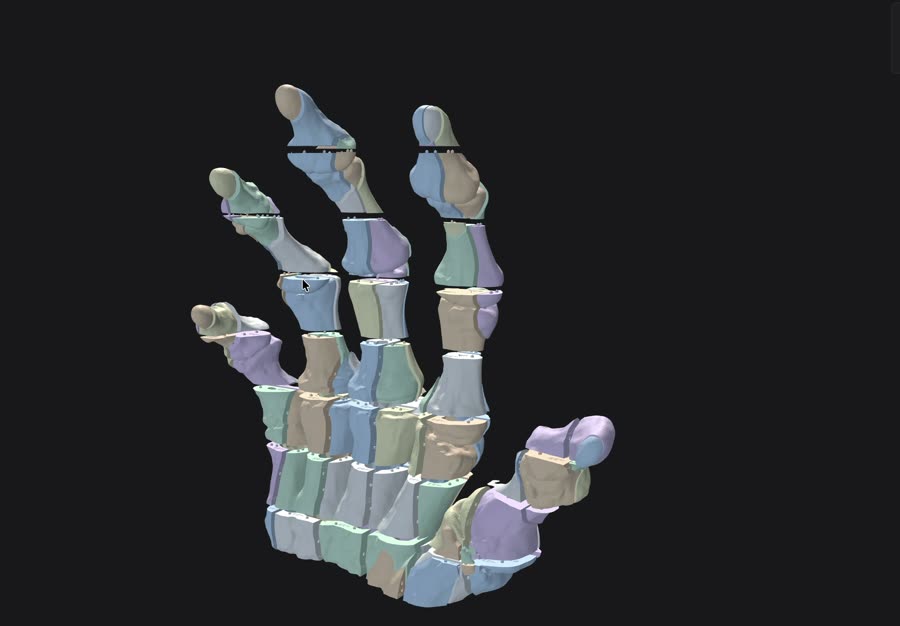
A dedicated tool can plan every cut at once. Scale & Cut 3D cuts the model on a grid sized to your printer, then moves the cuts so you don't end up with thin slivers, and merges any tiny leftover pieces into their neighbours.
3. Add pegs so the pieces line up
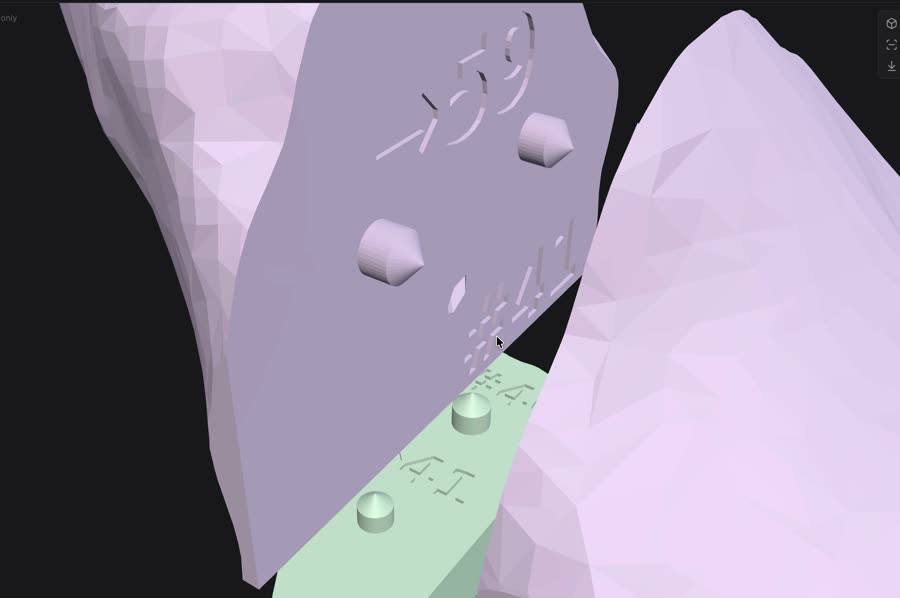
Glue alone holds, but it won't line pieces up. Small offsets add up across a big print. Alignment pegs fix that: one piece gets a peg, the matching face gets a socket, and the two can only meet one way.
- Leave clearance. A peg printed at the exact socket size won't fit. Around 0.1 to 0.2 mm of clearance per side is a good starting point for a snug fit in PLA; add a little more if you plan to glue.
- Keep pegs away from edges. On thin walls a socket can break through to the outside. Use smaller pegs there, or skip them.
- Number the faces. With dozens of similar parts, a number on each cut face that says which piece goes there saves a lot of guessing.
4. Hollow it to save filament
Slicer infill already leaves the inside mostly empty, but at large sizes even 10% infill adds up to a lot of plastic and print time. Hollowing the model first, so each piece is a shell with a set wall thickness, cuts that down a lot. For big display props, walls of 1 to 2 inches (25 to 50 mm) are plenty. The pieces still need solid material where they join, so give the cut faces enough wall for the pegs.
5. Lay out the plates and print
Lay each piece flat on its largest cut face where you can; that face is flat, so it prints without supports. Group pieces by printer if your printers have different bed sizes, and print in the order you'll assemble so you can start gluing while the rest prints.
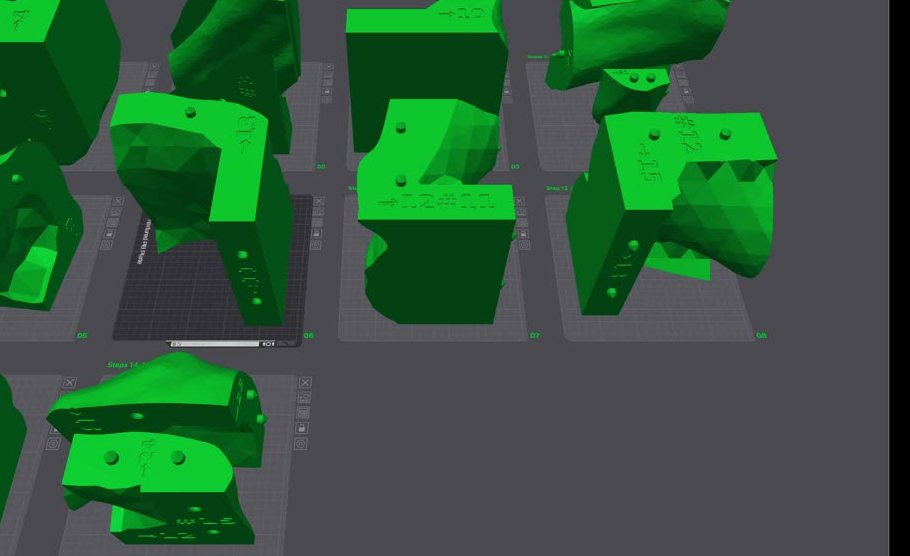
Check your slicer settings before printing. Generated project files can't know your exact printer, nozzle, filament and plate. Open the first plate, confirm the printer profile and filament, slice it, and look at the preview before you queue the rest.
6. Assemble and finish
- Dry-fit first. Press pieces together without glue to check the fit. Trim or sand any peg that binds.
- Glue in sections. Build a few sub-assemblies, like each finger of a hand, then join those. Super glue (CA) is fast for small joints; two-part epoxy is stronger for big, load-bearing seams.
- Hide the seams. Fill gaps with a filler putty, sand, then use a filler primer before painting.
Let the app do the cutting
Scale & Cut 3D scales your model, cuts it into pieces that fit your printer, adds alignment pegs and part numbers, and lays everything out on plates for Bambu Studio and OrcaSlicer. One purchase covers Windows and Mac.
See pricingQuestions
How many pieces will my print need?
Roughly the finished size divided by your bed size, in each direction. A 6 ft (1829 mm) skeleton hand on a 256 mm bed came out at 126 pieces after merging small slivers. A blocky model needs fewer pieces than one with lots of thin parts.
Can I use printers with different bed sizes?
Yes. Plan the cuts for your largest printer, then send each piece to the smallest printer it fits on. Scale & Cut 3D does this automatically when you select more than one printer.
What glue should I use for PLA?
Super glue (CA) works well for quick, small joints. For large seams that carry weight, use a two-part epoxy. Sand the faces lightly first so the glue grips.
Do I need supports?
Usually far fewer than for the whole model. Each piece can lie on a flat cut face, so most need no supports at all. Pieces with overhangs, like a fingertip, may still need some.